
How to remove users from queue in Real Time
- Access to VICI
- Choose Administrator and re-enter your credentials.
- Go to the "Reports" option.
- Click on "Real-Time Main Report"
- Click on "Choose Report Display Options".
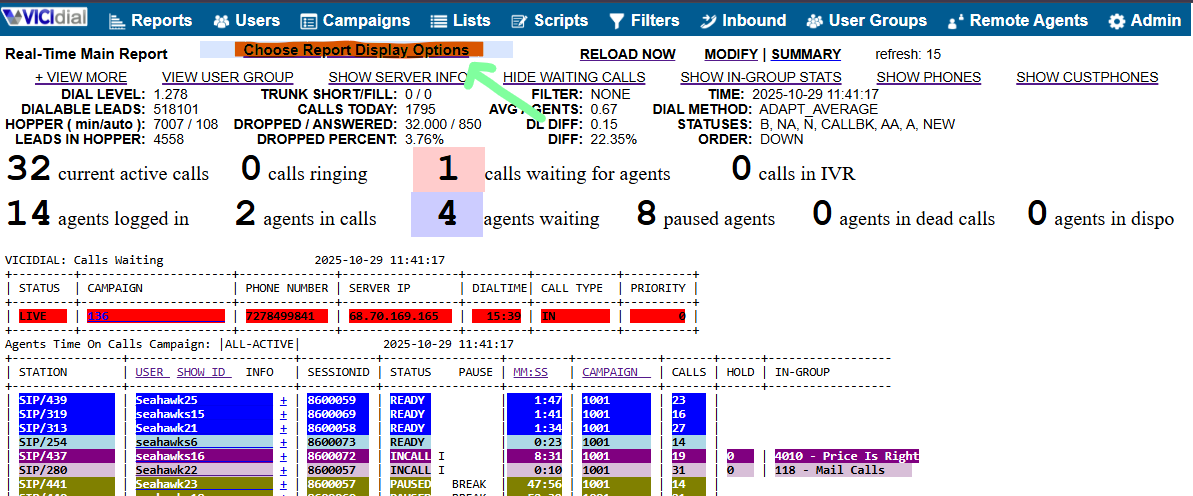
- Choose the Group, In-Group or Campaign that you want to edit on
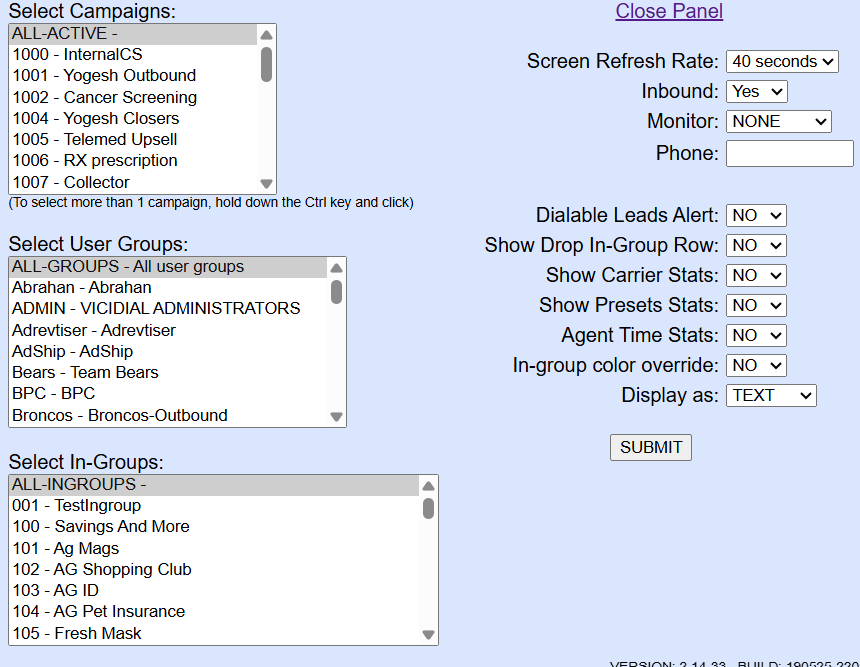
- Click on "Submit".
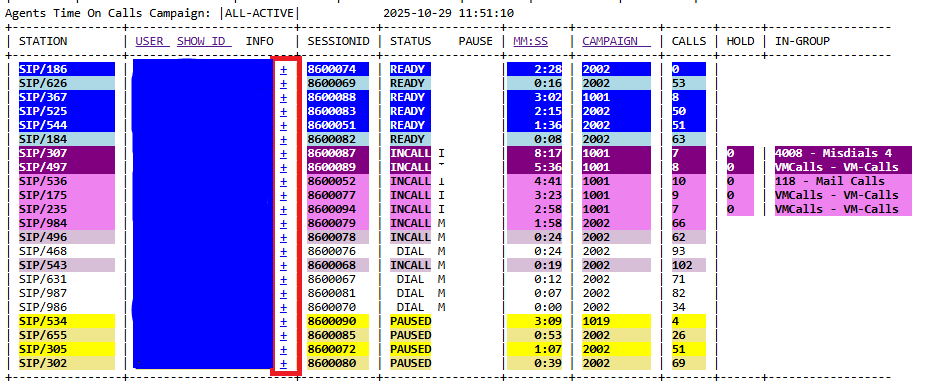
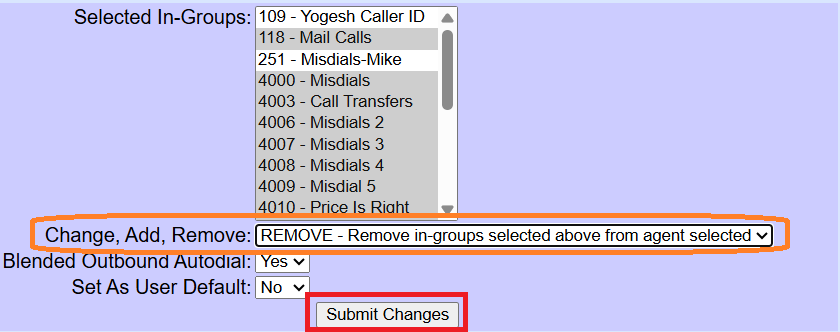
- Once you have chosen the right option, click besides the name of each user, on the "+" icon, and select the desired queue that you want to be removed.
- Once is selected, click on the Option "Change, add, Remove", then click Submit.

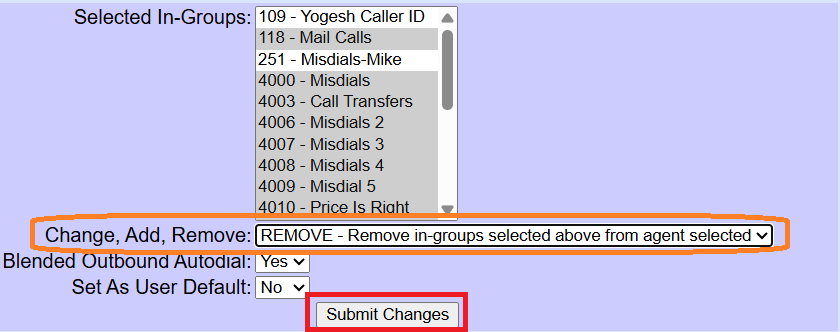
Note: The gray color means that the option is enabled, while in White means that is disabled.

No comments to display
No comments to display