
How to create a Bria Solo account
This article will explain how to create a bria solo account as a workaround if xlite cannot be installed (MAC devices) or Xlite is not working as expected
Steps:
1. First we will need to go to the signup page and enter an email and password:
https://solo.softphone.com/signup
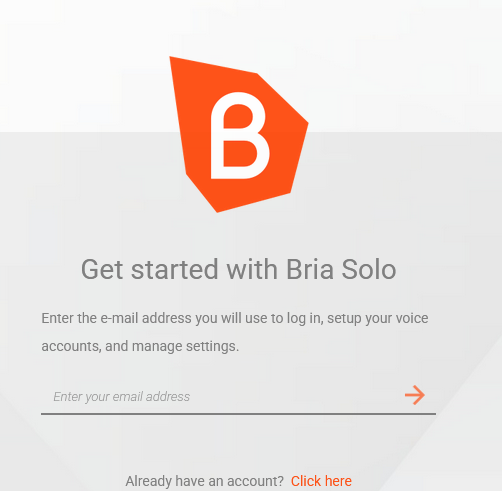
Note: Free accounts last 15 days, if you are reissuing an account you will need another email address, temporary email addresses can be created here: https://yopmail.com/
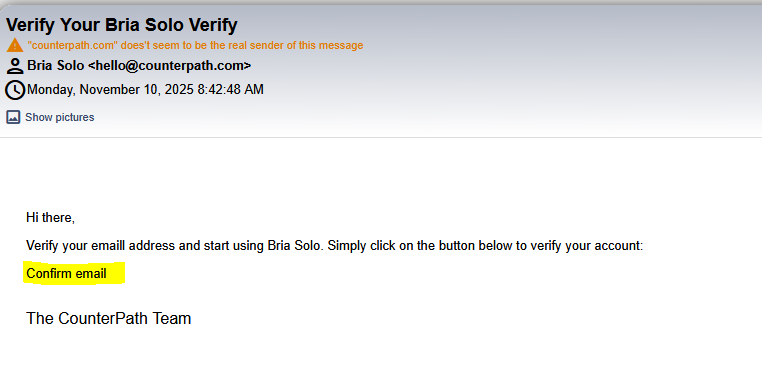
2. Next, you will need to accept terms and conditions and create an account. You will be sent a confimation email to the email address you entered and will need to click on the hyperlink on the email to access the account:
 \
\
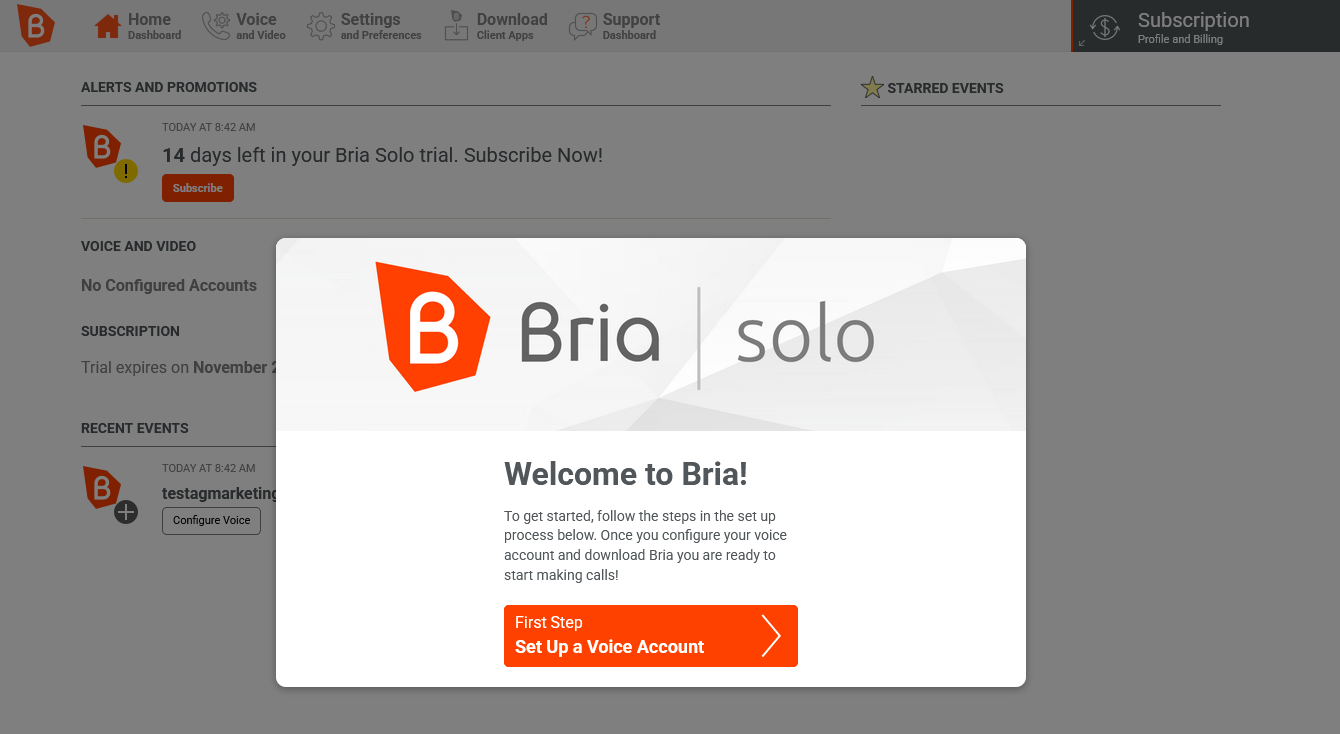
3. Once you've accessed the account, you will be prompted with "Set up a Voice Account", you will click on it and then click on "Configured SIP Settings"
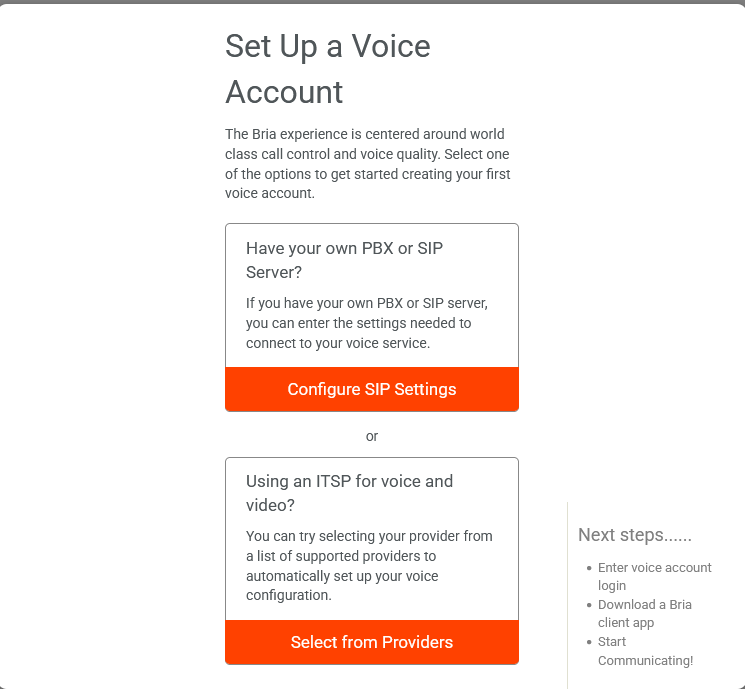
You will now need to enter the dialer credentials you were provided, for example if you were provided this:
Username: test
Password: Wf05A4h1w
Ext: 981
Domain: 68.70.169.165:15158
Registration password: Ag3Mk8Ti6
Portal: http://orange.voipplus.net:8441/dynamic.php
You will enter the info like this:
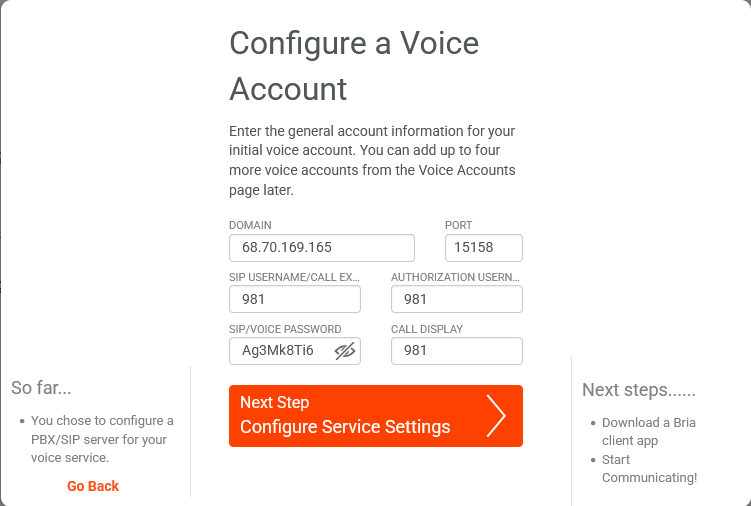
After that you will need to click "Next Step Configure Service Settings" and then "Next step download client app"
Once you downloaded the client app for your device, you can select complete setup.
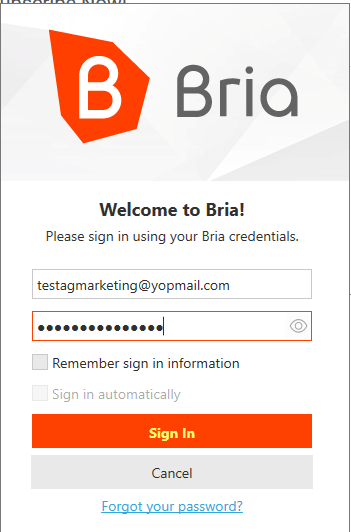
4. Once the app is downloaded and installed, you will login to the app with the credentials created at the first step:
If everything was done as instructed, it should look as followed:
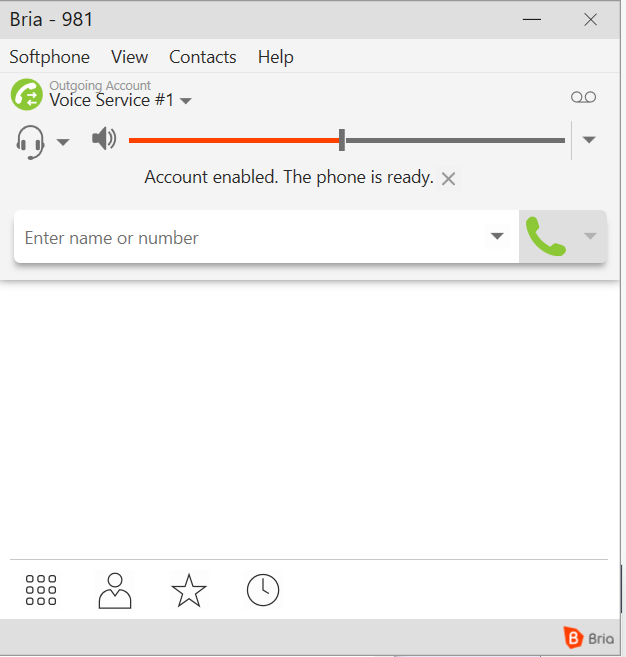
If you get an error after opening the app, make sure the information was entered correctly by login back to https://solo.softphone.com/dashboard. and checking Voice Configuration
If issue persists, please send a ticket to tickets-it@agmarketingflorida.com for further assistance
No comments to display
No comments to display