
How to create a Remote session
This KB is to help you know how to download, access and create a session for Rustdesk.
- Go to the page: RustDesk
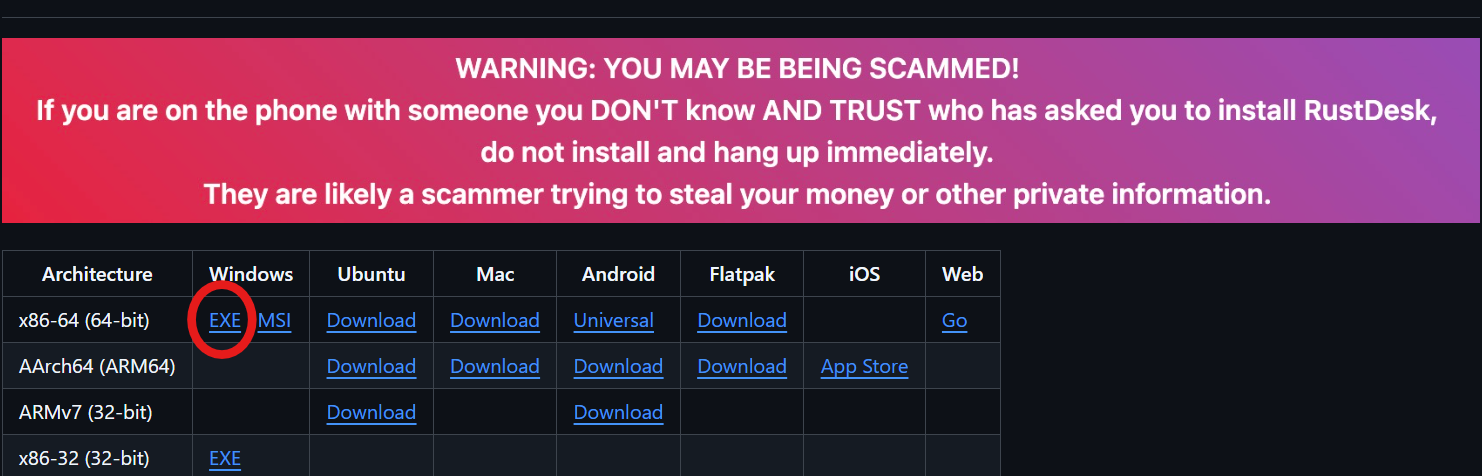
- Click on Download option
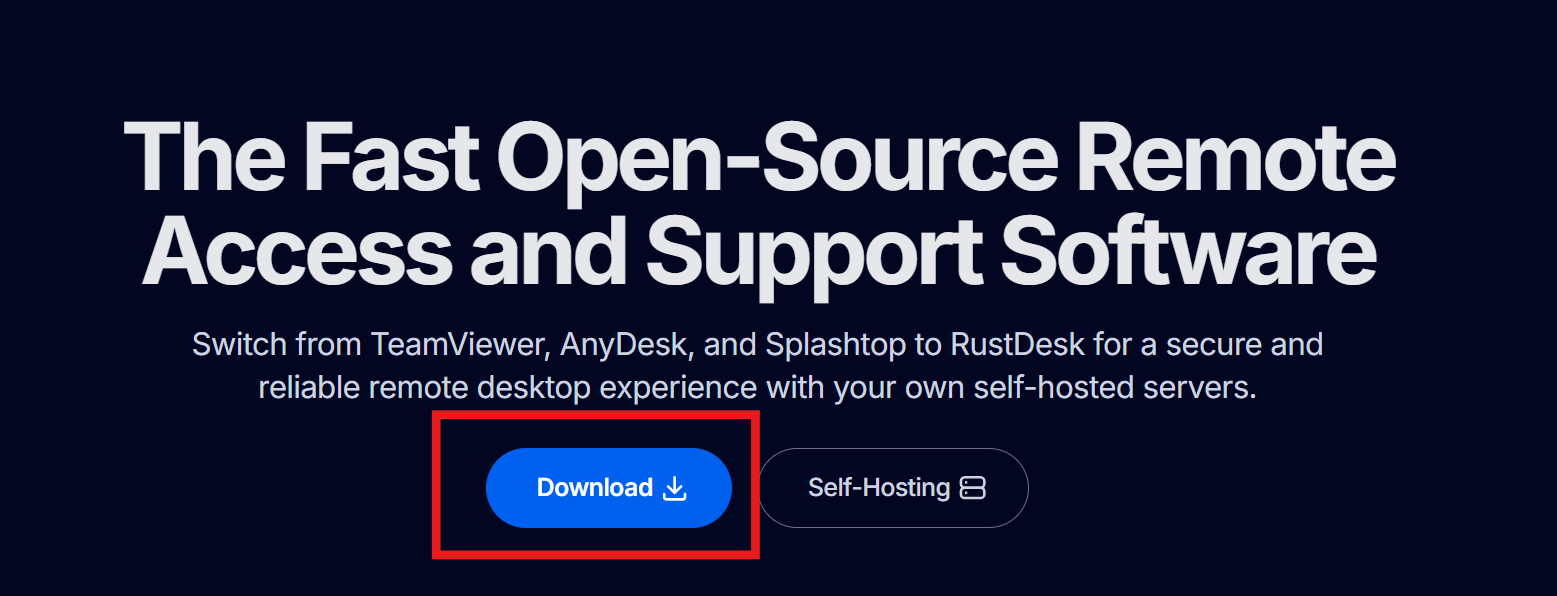
- Choose the option marked below, and ignore the message in the box.
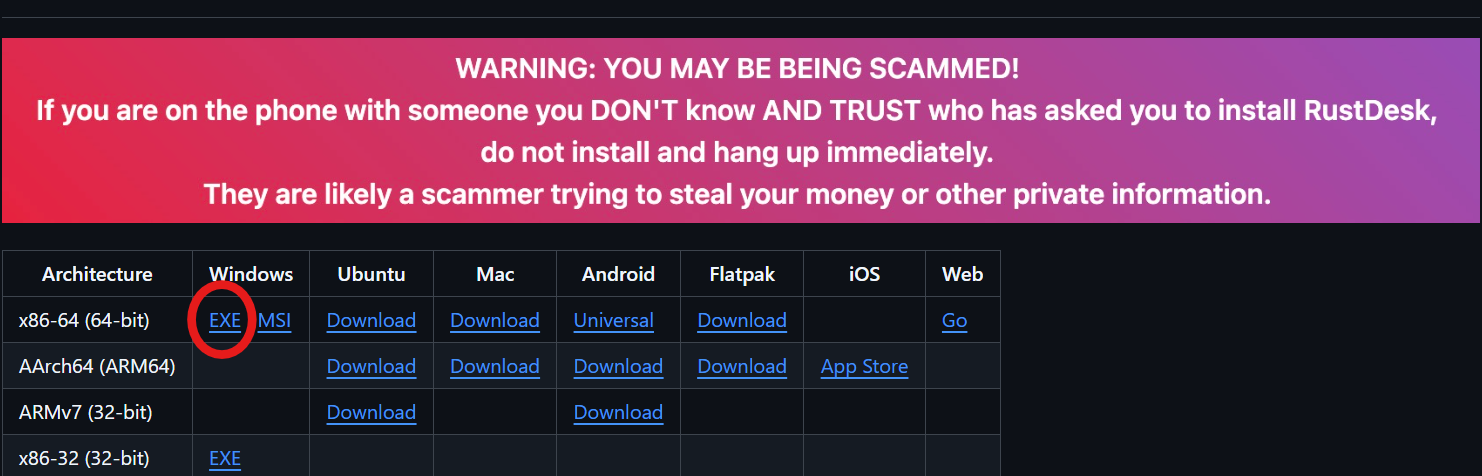
- Open the File and install the application.
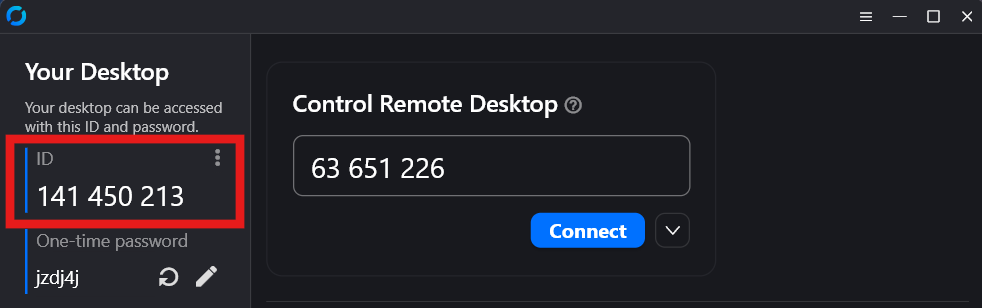
- Provide the ID to the technician so they can access to the remote session
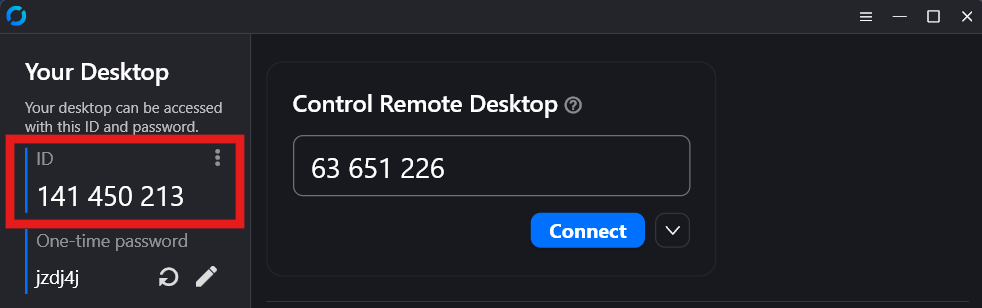
- Provide the One-time password if they ask you to.
- Give all the permission to the technician so we can resolve any problem you may be having.
No comments to display
No comments to display