
VPN Issues
Before troubleshooting, make sure about the following:
- Check that firewalls or network restrictions aren't blocking the connection.
- Confirm that user have the right version installed for OpenVpn.
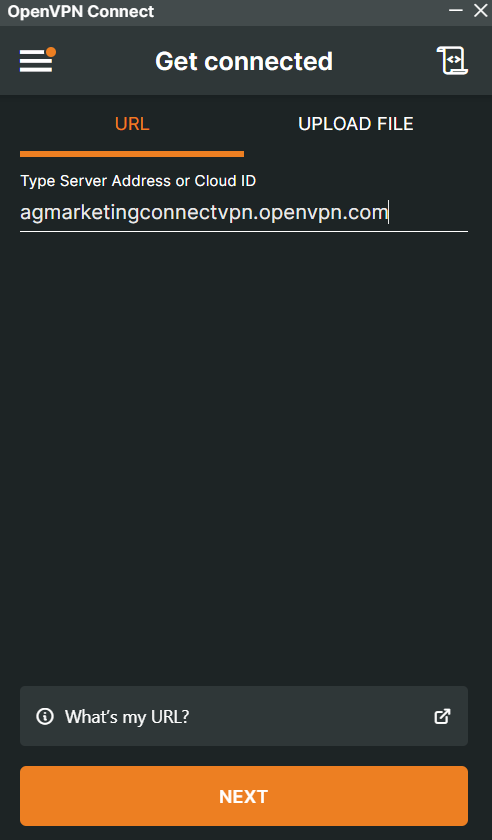
- Review if the user is using the correct Type Server: agmarketingconnectvpn.openvpn.com
-
Click on "Next". And this will prompt an external window so you can login with the credentials.
- Place the right Username/Email and Password created for the user.
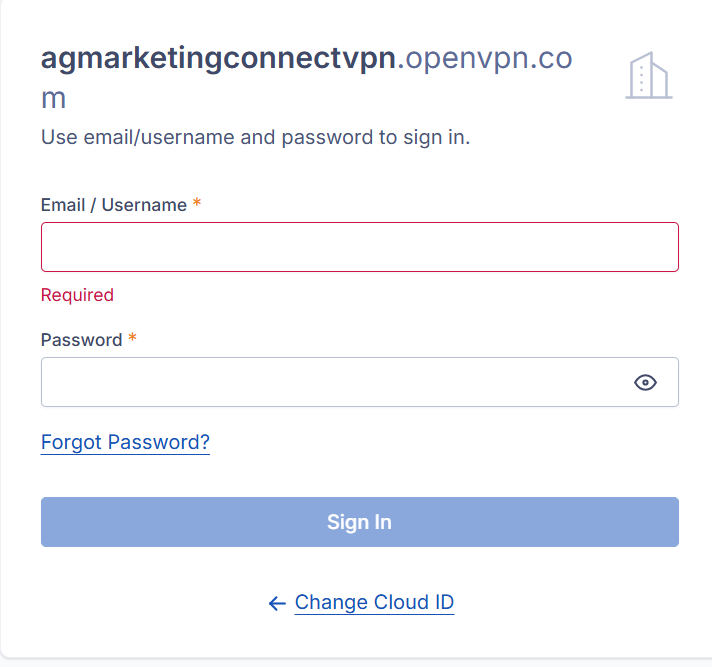
- Place the right Username/Email and Password created for the user.
If any issue arise, please follow the following Troubleshooting:
- Close OpenVPN app from task manager.
- Remove Tempfile:
- To remove temp files, open the Run dialog by pressing Windows + R, type %temp% or temp, and press Enter. Select all files with Ctrl + A and press the Delete key. Skip any files that cannot be deleted because they are in use.
- Open the app and try to access again.
- In case the issue persists, uninstall the app.
- Reboot the computer
- Reinstall OpenVPN: downloaded here
- And repeat the process showed at the beginning on how to access using the Server and credentials.
In case the problem persists, create a Ticket by sending an email to: tickets-it@agmarketingflorida.com
No comments to display
No comments to display